Apple is beginning its transition to its own processor, the M1. It's a big shift for the industry, and one that breaks several of the limitations the Mac has been carrying until now.
Some context helps. Apple has spent more than a decade designing its own silicon for the iPhone and iPad, and the M1 is the moment that work reaches the desktop and the laptop. It's also the company's third major architecture transition, after 68k to PowerPC in 1994 and PowerPC to Intel in 2006. Both of those worked out; both had some uncomfortable years along the way.
1. Architecture: everything on one chip
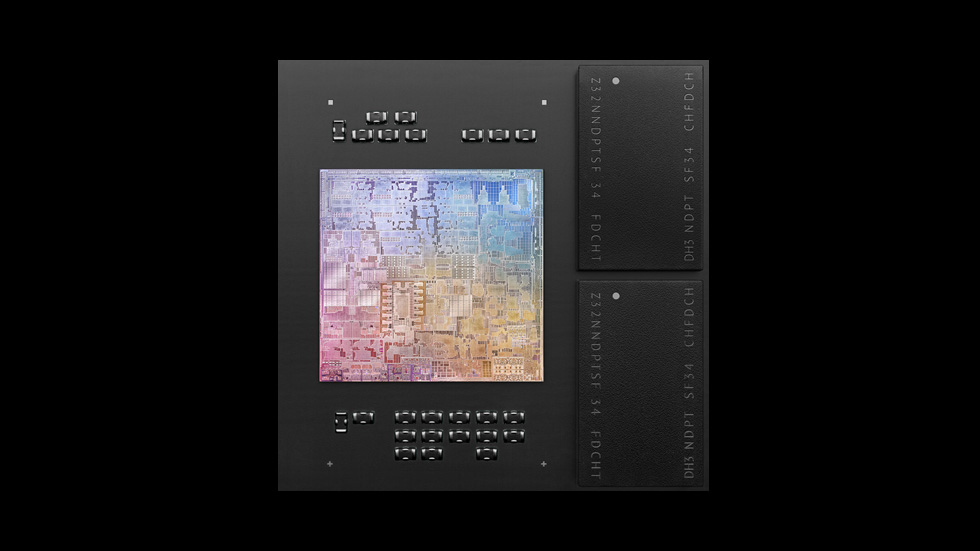
The new chip, based on the A14 in the iPhone and iPad, completely redesigns the architecture around Unified Memory Architecture (UMA). CPU, GPU and RAM come together in a single SoC (system on chip), alongside the Secure Enclave and the Neural Engine.
The underlying idea is simple. On a conventional PC, the CPU has its memory and the GPU has its own, and when one needs data sitting in the other, that data has to be copied from one pool to the other. The copy costs time, bandwidth and power. With unified memory there is no copy: both work on the same pool. In workloads where CPU and GPU hand data back and forth constantly — video editing, image processing, machine learning — the difference shows up more than it does in a synthetic benchmark.
5-nanometre process, the first in a personal computer chip
16 billion transistors
8-core CPU: four high-performance cores and four high-efficiency cores
Integrated GPU with up to 8 cores
16-core Neural Engine
Secure Enclave, ISP, a storage controller with AES encryption, and an integrated Thunderbolt / USB 4 controller
2. Power consumption and performance
System performance goes up relative to the current Intel processors while power consumption comes down substantially.
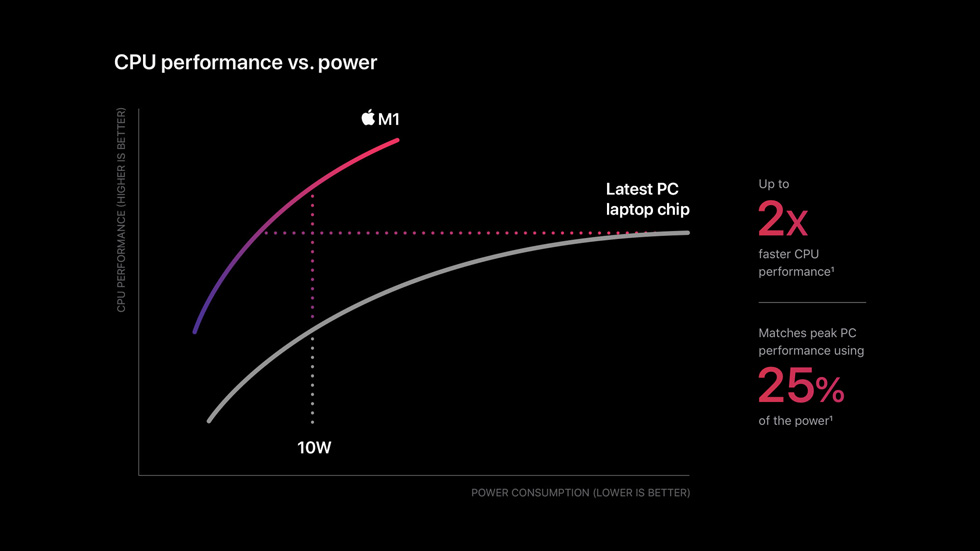
This is the counterintuitive part of the announcement. Normally you choose between performance and battery life, and the industry has spent years selling that compromise as a law of nature. The curve Apple shows says otherwise: at around 10 W the M1 delivers roughly twice the performance of the PC laptop chip it's measured against, and it matches that chip's peak while drawing a quarter of the power.
As with any vendor number, the fine print matters: these are Apple's own tests, on preproduction systems, using benchmarks Apple selected. The order of magnitude is the interesting part, not the exact figure.
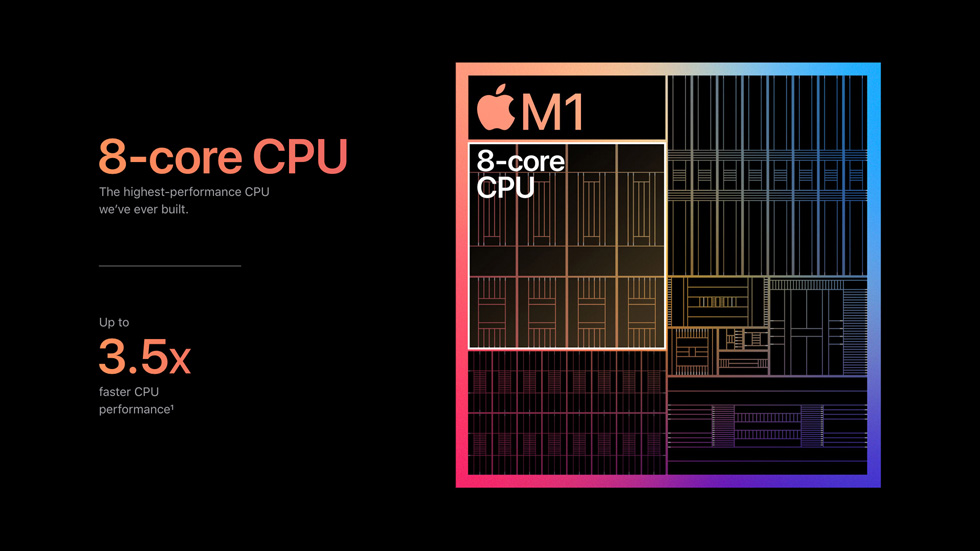
The trick is in how work gets distributed. The four efficiency cores take everyday load — mail, browser, background processes — at a fraction of the power, and the four performance cores only step in when they're needed. It's a scheme that comes straight from mobile, where battery has never been negotiable, and in a laptop it translates into three very concrete things: more hours of runtime, less noise, and, in the MacBook Air's case, no fan at all.
3. Compatibility: Rosetta 2 and universal binaries
Apple ships a piece of software called Rosetta 2 for applications that haven't made the transition. It rewrites x86 code into a version the M1 can run natively on ARM.
Translation happens at two different moments. Where possible it's done once, at install time, and the result is cached: from then on the app launches already translated and the cost isn't paid again. Where that isn't possible — dynamically generated code, such as a JavaScript engine's JIT — it's translated at runtime, on the fly.
Running in parallel is the long road: universal binaries, which package both the x86 and the ARM code in the same file so each machine runs its own natively. Rosetta 2 is the bridge; universal binaries are the destination. And there's a side effect Apple takes advantage of: because the Mac now shares an architecture with the iPhone and iPad, iOS apps can run directly on it with no adaptation.
What Rosetta 2 doesn't cover is also telling. It doesn't translate kernel extensions, it won't run x86 virtual machines, and Boot Camp is gone — booting Windows on a Mac stops being an option. For anyone who depends on that, this transition isn't transparent.
4. What it means for Intel
There are currently more ARM processors in circulation than x86_64 ones, which means Intel no longer holds the market share it once did. This is a hard blow: it will gradually supply fewer processors to Apple, with the corresponding drop in revenue.
But the real problem isn't the volume lost with one particular customer. The Mac is a modest slice of Intel's business. What stings is the signal. For fifteen years x86 has been shorthand for desktop-class performance and ARM for phones. If Apple demonstrates in public that you can design your own silicon and win on performance per watt, that boundary stops working as an argument.
On top of that there's a manufacturing factor. The M1 comes out of TSMC on 5 nanometres while Intel is dealing with delays on its own process nodes. The gap is no longer only about design; it's also about who has access to the best node available.
5. What's still open
Apple describes this as a roughly two-year transition. The M1 launches in the entry-level line — MacBook Air, 13-inch MacBook Pro and Mac mini — and that's exactly what keeps the interesting question open: efficiency is easy to demonstrate in a thin laptop, but the high end is a different problem.
Memory beyond 16 GB, discrete GPUs, support for multiple external displays and the fate of the Mac Pro are all unresolved. If the design scales up as well as it scales down, this transition will be remembered as obvious in hindsight. If it doesn't, the M1 will have been an excellent product in one specific segment. On what's visible today, I'd bet on the former.
Source and images: [Apple Newsroom — Apple unleashes M1](https://www.apple.com/newsroom/2020/11/apple-unleashes-m1/). Images © Apple Inc., reproduced for editorial purposes.